

LiThink App Adds Unified Views and Runtime Prediction for Multi-Battery Systems
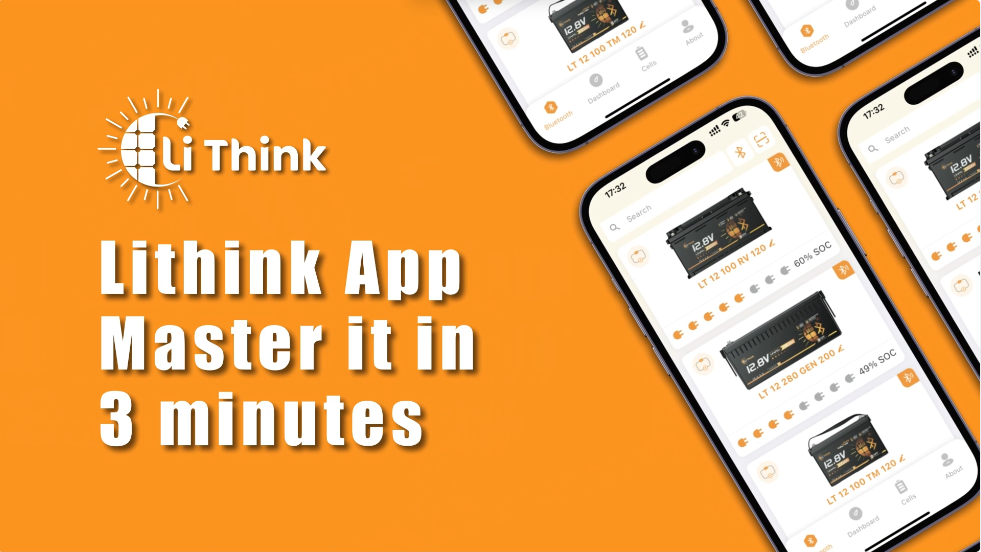
The LiThink App provides a unified dashboard for RV and marine users, featuring real-time runtime prediction, series/parallel mapping, and one-tap access to remote diagnostics.
Time-to-empty/time-to-full estimates, series/parallel mapping with totals, visual fault guidance, OTA updates, plus QR/Bluetooth pairing and in-app manuals.
BERLIN, GERMANY, January 8, 2026 /EINPresswire.com/ -- LiThink today shared an updated feature overview of the LiThink App, designed for European RV, marine and off-grid users—especially those operating multi-battery setups. The app focuses on a practical goal: turning battery monitoring from “guesswork” into a clear, system-level view that helps users plan runtime, understand protection events, and reduce downtime.For many users, battery anxiety is not about reading a datasheet. It is about real decisions: How long can I run this load? What is happening when protection triggers? And in a system with multiple batteries, how do I see the whole picture without checking each unit one by one?
Key User Benefits
• Predictable Runtime (Time-to-Empty): See an estimate of remaining runtime based on the current load, and time to full during charging—answering the question “how long can I keep running?”
• Unified System View (Series & Parallel): Map real series/parallel wiring in the app and view aggregated totals for the battery group, such as overall voltage and overall capacity—so users can manage the system as one bank, not as separate devices.
• Actionable Fault Guidance: When a protection event occurs (e.g., over-current or over-temperature), the app provides a clear visual alert and guidance with recommended actions—helping non-technical users respond without guessing.
• Remote “Mechanic” via OTA: Share diagnostic identifiers quickly with support and receive configuration updates via OTA where applicable—reducing the need to remove or ship the battery for routine fixes or parameter optimizations.
Feature Overview
Connectivity & Identification
The app supports two pairing options—scanning a QR code on the battery or connecting via the Bluetooth device list—so users can connect in the way they prefer. For systems with multiple devices, the app supports:
• Custom Renaming: Name each battery for fast recognition in real use cases (e.g., “Trolling Motor,” “RV Service Bank,” “House Bank”).
• Smart Search: Use the search bar to locate a target battery instantly by keyword.
Dashboard & Precision Prediction
The dashboard displays key values on one screen, including voltage (V), current (A), power (W), state of charge (%), cycle count and temperature. It also provides:
• Time-to-Empty (Remaining Runtime): Load-based remaining runtime estimation.
• Time to Full: An estimate shown while charging.
• Charging / Discharging Software Switches: Enable or disable charging and discharging paths from the dashboard for software-level control.
System Topology Configuration (Series & Parallel Mapping)
For multi-battery systems—such as higher-voltage setups built from multiple 12V units—the app allows users to build and manage a software view that matches the real electrical layout:
• Create and manage series or parallel groups.
• Add or remove configurations to keep the app aligned with the actual system.
• View aggregated totals for the group to reduce the need for battery-by-battery checks.
Cell-Level Transparency & Diagnostics
For users who want deeper visibility, the app supports:
• Cell Voltage Monitoring: View individual cell-string voltage readings.
• Balancing Status: See balancing state for a clearer view of pack consistency.
When an abnormal status occurs, the battery card provides a clear visual indicator. Users can open the protection page to see the specific protection type (for example, over-current or over-temperature) along with an explanation and recommended next steps.
Remote Support & OTA Updates
To reduce friction in after-sales support, the app enables:
• One-tap copy of the battery MAC address and fast handoff to email support.
• OTA configuration updates where applicable. When a new configuration update is available, the app prompts the user to confirm and apply it—without removing the battery from the installation.
In-App Ecosystem
Designed for European users and travel conditions, the app includes:
• Multi-language support and unit switching, including Celsius/Fahrenheit.
• Offline resources such as operation manuals, battery basics and FAQs for campsites with limited connectivity.
• Warranty registration entry to simplify service workflows.
“Complex electrical systems should be manageable for everyday users,” said a LiThink spokesperson. “We built the app around clarity—predictable runtime, a unified view for multi-battery banks, and guidance that helps users act when something happens.”
Availability
LiThink App resources and support materials are available via the official LiThink website:
• App page
• Support page
Website: www.lithink.de
About LiThink
LiThink develops LiFePO₄ energy storage solutions for RV, marine and off-grid applications in Europe. The company focuses on practical usability, transparent information, and user-oriented support experiences across both hardware and software.
Media Contact
LiThink — Press & Communications
Email: pr@lithink.de
Levi Chandler
LiThink
support@lithink.de
Visit us on social media:
Instagram
Facebook
YouTube
TikTok
X
Other
LiThink battery management app interface displayed on smartphones, showing real-time dashboard, device list, and monitoring features on an orange background.
Legal Disclaimer:
EIN Presswire provides this news content "as is" without warranty of any kind. We do not accept any responsibility or liability for the accuracy, content, images, videos, licenses, completeness, legality, or reliability of the information contained in this article. If you have any complaints or copyright issues related to this article, kindly contact the author above.
